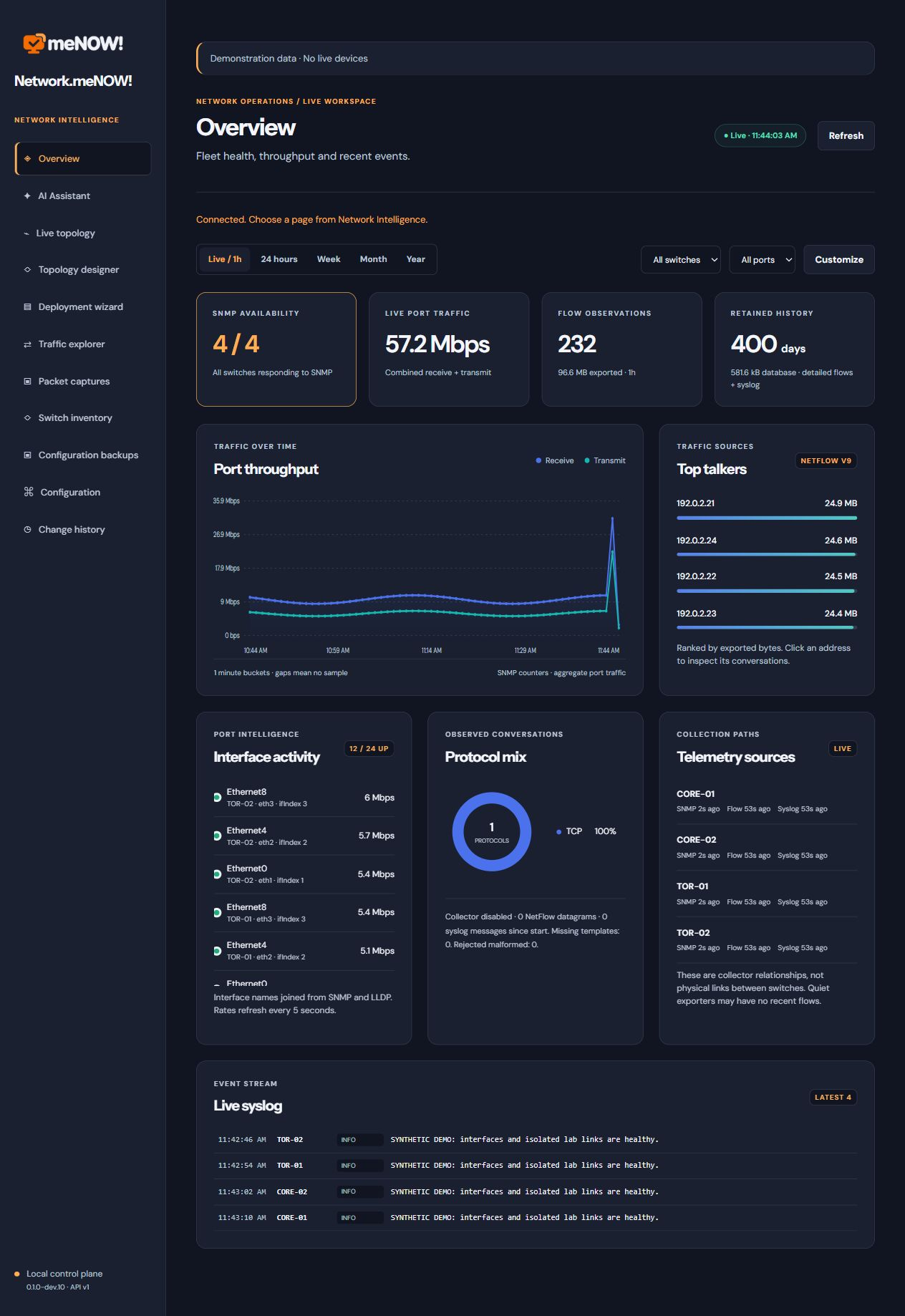
Real product interface · synthetic demonstration data · no live devices
Local management console
Evidence you can inspect
Plans you can review
Monitoring & topology
A clearer view of your network.
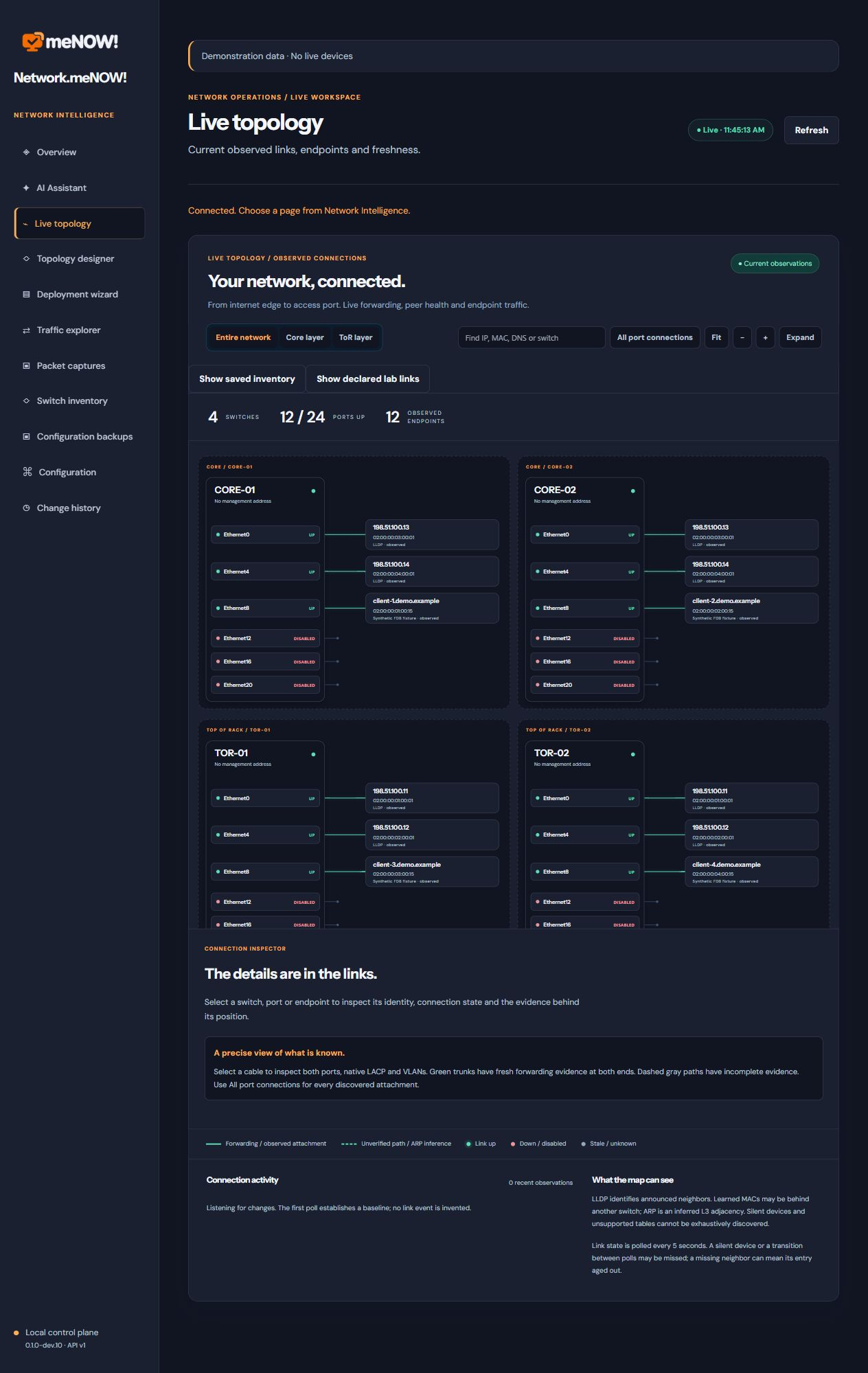
Bring switch inventory, SNMP interface monitoring, NetFlow traffic and syslog into one workspace. Follow the topology from a switch to its ports and observed endpoints, then inspect the evidence behind the connection.
Review link state, interface activity and recent events.
Inspect device identities, observation sources and collection times.
Keep current observations separate from saved inventory and declared cabling.
A saved or stale record does not prove that a device is currently reachable. The console keeps that distinction visible.
Synthetic topology and current observations. Open the image for a full-size view.
Traffic & packet evidence
Follow the traffic to the details.
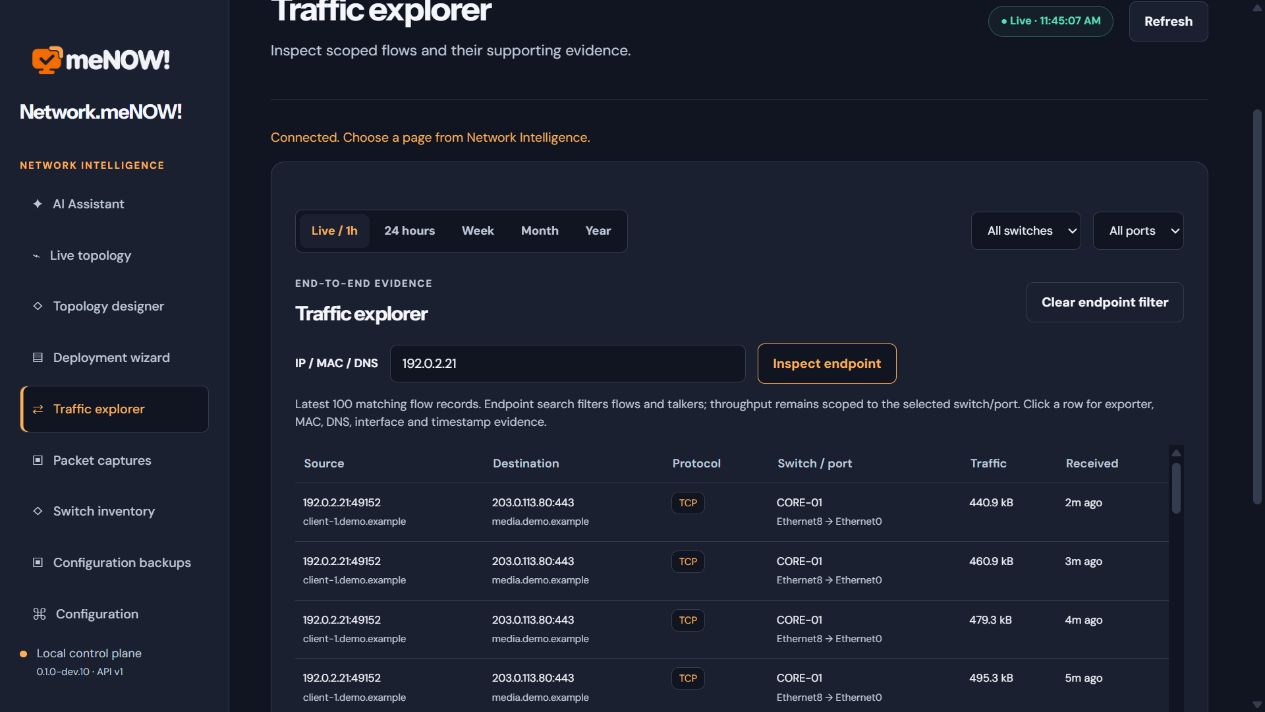
Investigate an observed endpoint’s sent and received bandwidth, protocol mix, TCP and UDP ports, and conversations. Move from the chart to the supporting flow records instead of guessing from a single number.
Filter by switch, observation port, protocol and remote port.
Explore recent activity and retained historical records.
Import PCAP or PCAPNG files and review capture metadata.
Verify saved captures and download originals for Wireshark analysis.
Traffic is shown at the selected observation point. Service names are port-based hints; the console does not claim to identify encrypted applications.
Synthetic traffic evidence. No private captures or live network data are shown. Open the image for a full-size view.
AI Assistant
Ask about the evidence you approve.
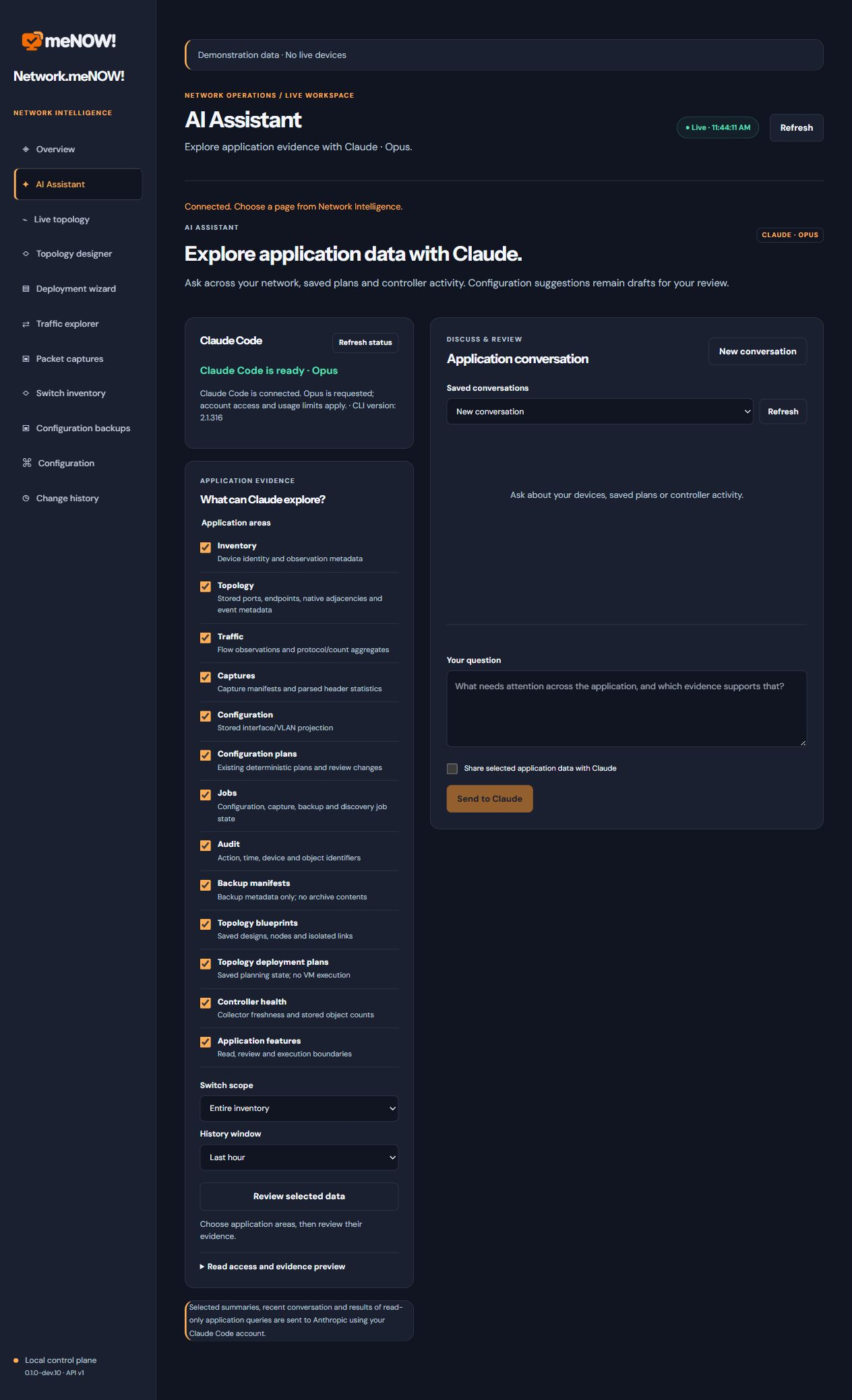
Give Claude a defined view of your network and application activity. Choose the relevant areas, switch scope and history window, then select Review selected data. You decide whether to Share selected application data with Claude before sending your question.
Read-only access across thirteen application areas.
Review the permitted access before sending context.
Keep saved conversations and cancel an active request.
Load a validated configuration suggestion as an editable draft.
Your review stays in the workflow.
The assistant reads application evidence; it cannot apply live network changes. Configuration suggestions remain drafts.
Requires Claude Code installed and signed in on the controller host, with Opus access. Selected evidence and conversation are sent to Anthropic using that account; provider limits apply.
Evidence selection and review in the AI Assistant · synthetic demonstration data. Open the image for a full-size view.
Topology Designer
Work out the design before the change.
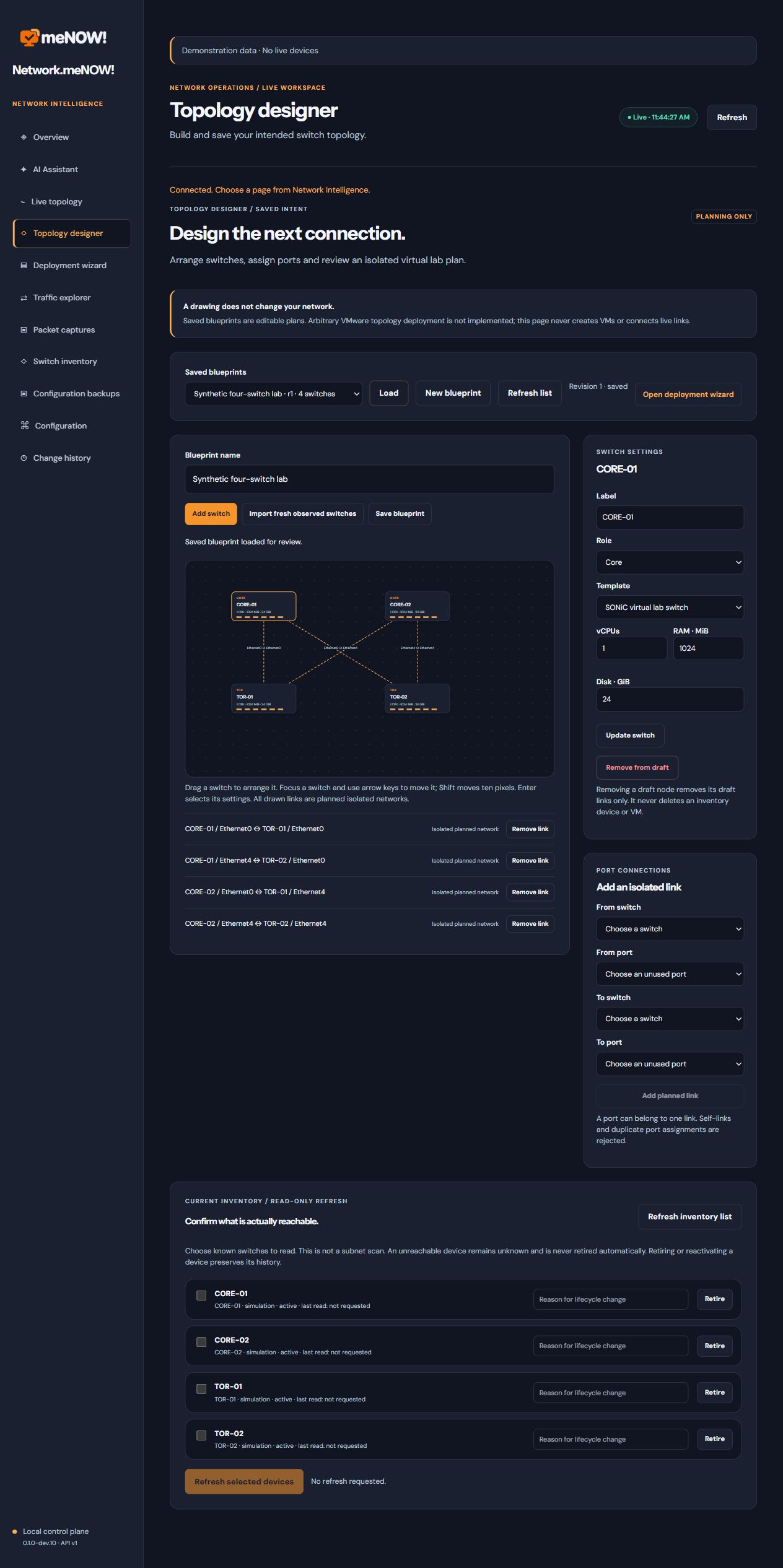
Build a separate topology blueprint without changing the network it describes. Arrange virtual switches, choose their roles and resources, and connect available ports on isolated planned networks.
Edit CPU, memory and disk requirements for each switch.
Drag nodes into place or move them with the keyboard.
Import freshly observed switches into a draft.
Save revisions so a later edit does not silently replace your work.
A blueprint is a plan. Saving a node or link does not create a virtual machine or change live cabling.
Four-switch demonstration blueprint. Drawn links are planned isolated networks. Open the image for a full-size view.
Deployment Wizard
See what the plan needs. See what blocks it.
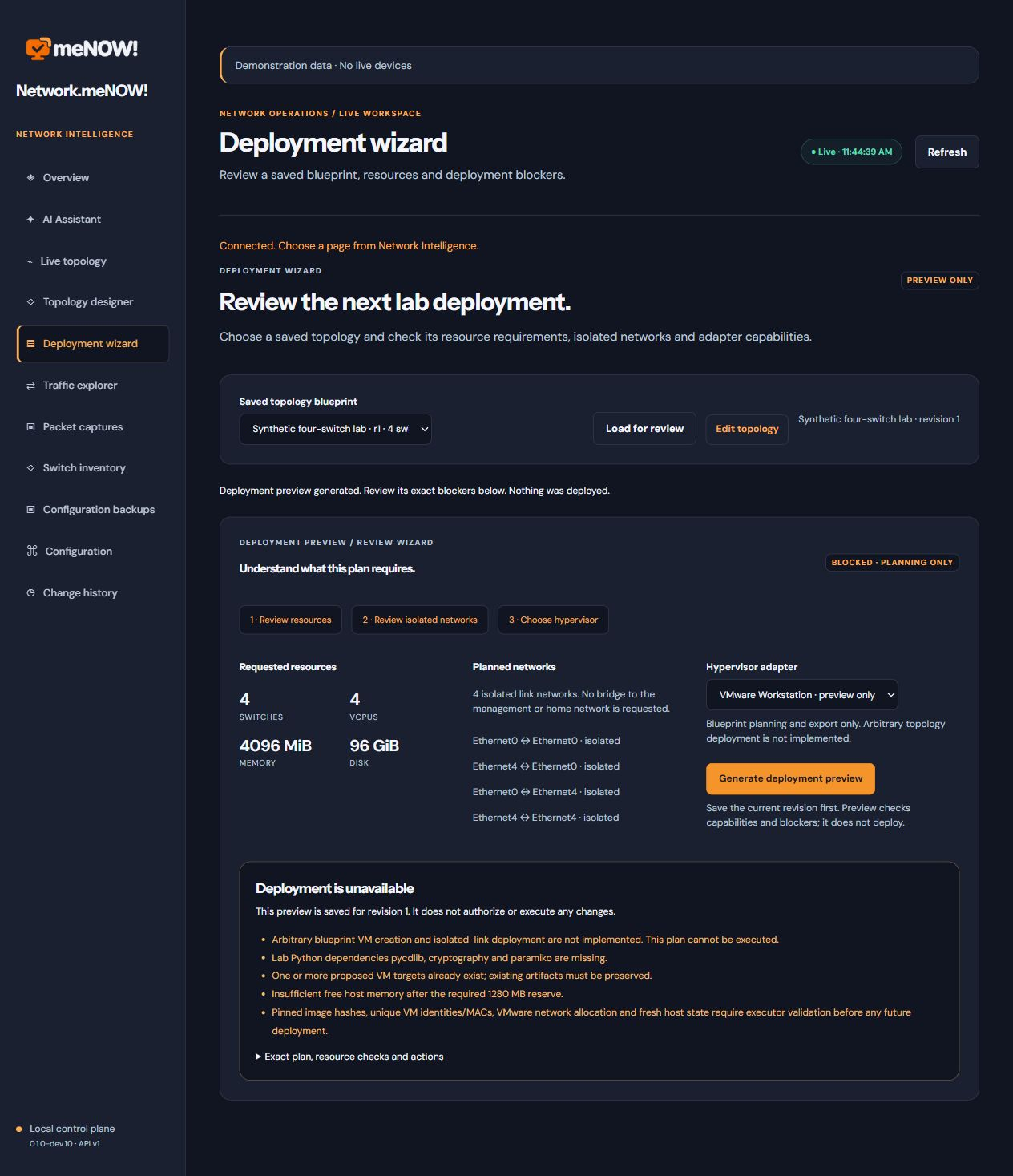
Open the separate Deployment Wizard and choose a saved topology blueprint. Turn that revision into a reviewable deployment plan, with combined resource requirements, isolated networks, host checks and supported capabilities.
Review CPU, memory and storage totals.
Inspect the planned networks and their port assignments.
Keep the result tied to the exact blueprint revision.
Export the planning result for further review.
Planning preview, with clear limits.
Automatic hypervisor deployment is not implemented in this development preview. Plans report that they are not deployable and list the blockers. This review does not create virtual machines or change switches.
Separate Deployment Wizard. Unavailable deployment capabilities remain visible. Open the image for a full-size view.
Configuration & recovery
Keep a checkpoint. Review the next step.
Investigation, configuration review and recovery evidence belong in the same workspace.
Configuration snapshots
Capture read-only switch recovery snapshots and inspect their manifests. SHA-256 integrity checks help verify the saved archive.
Full configurations can contain secrets. Archives stay in protected application storage; downloaded copies should remain private.
Changes start as drafts
Review observed configuration, edit the intended change and request a validated preview. AI suggestions enter that same review workflow.
Live configuration deployment remains disabled in this preview. The current focus is evidence, validation and operator review.
The meNOW! family
Your network. Your toolkit.
Explore IT support with Help.meNOW!, digital signage with Cast.meNOW!, and audio creation with RingTone.meNOW!.
Network.meNOW! is a development preview built around a SONiC virtual lab. Physical switch compatibility requires separate qualification. The screenshots show the real interface with synthetic demonstration data, not a live customer network.